About iMax Trainer - HIIT Chrono/GPS
iMax Trainer application was designed by athlete to athlete. Based on my own needs, when running on a treadmill, bike trainer, or at lane of a swimming pool, where there was none to catch my splits times, warning me of...
iMax Trainer application was designed by athlete to athlete. Based on my own needs, when running on a treadmill, bike trainer, or at lane of a swimming pool, where there was none to catch my splits times, warning me of end of lap, and of interval, I developed iMax to be "my coach" when I was working out alone.
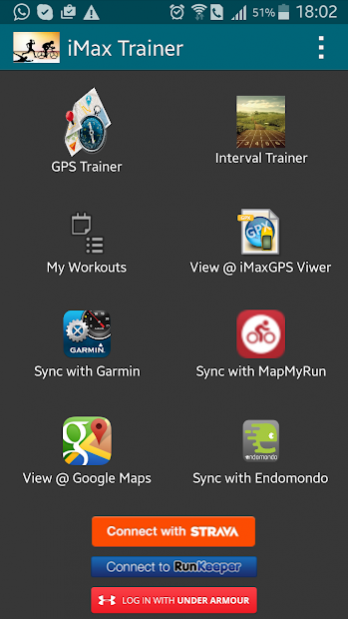
With 3 major functions, you can choose the HIIT, Chrono or GPS Map mode. In all modes, your training session will be registered and logged with a GPX file ( even when you do a indoor session ). You can then exchange this GPX file to whatever you want.
iMAX has "built-in" integration based on "API" with Strava, Runkeeper, MapMyRun, Runtastic, Endomondo and Garmin. So, you can upload and syncronize your sessions automatically with those tools.
From the list of workout sessions, at any time, you can do it by just clicking on a botton.
The integration/connection with those apps is done just once, after inform your credentials to each one of those apps.
Besides that, as the GPX file is the "standart" format for maps and courses, from iMax you can export it and import on any other tool or website.
For example, you can save your courses at googlemaps and then share this googlemap with friends.
Besides that, iMax enables the import of GPX files. So, you can import a GPX file generated from any other device. After this import, you can then easly syncronize it with Strava and others...
The basic functions, like share the workout in all possible ways, post it on facebook, whatsapp, email, etc...are also there.
At HIIT mode, setup the warmup, lap duration, rest interval and number of repetitions and go for a run....or bike, or even swim. iMax will notify you the end of each lap, each rest interval and end of workout.
AT Chrono mode, you can take the splits of your session just clicking on the "+" botton or pressing the "volume up/down" of your mobile.
At end of workout you can share your workout in all possible ways, upload it at your prefered website and save it at your google calendar.
**HightLights**
- Modern and intuitive interface
- Sync workout sessions strava, mapmyrun, runkeep, runtastic, endomondo and garmin automatically
- Import of GPX files
- Export of workout sessions as GPX files
- Save to google drive
- Full workout log
- Complete share of workout sessions !
Try it ....enjoy it !
Previous Versions
Here you can find the changelog of iMax Trainer - HIIT Chrono/GPS since it was posted on our website on 2016-10-03 07:48:55.
The latest version is 6.0.6.0 and it was updated on 2026-10-07 00:29:06. See below the changes in each version.
iMax Trainer - HIIT Chrono/GPS version 6.0.6.0
Updated At: 2020-12-18
Changes: Major updates for supporting new android versions
iMax Trainer - HIIT Chrono/GPS version 6.0.5.0
Updated At: 2017-05-15
Changes: 28/01/2017**
interface enhancements
elevation calculation and graphic analysis
bug fixes
28/05/2016**
Voice Feedback
03/05/2016**
Bug Fixies
Added function to view Workout Splits
iMax Trainer - HIIT Chrono/GPS version 6.0.3.3
Updated At: 2016-05-27
Changes: 28/05/2016**,Voice Feedback,03/05/2016**,Bug Fixies,Added function to view Workout Splits
Disclaimer
External Download
We do not host iMax Trainer - HIIT Chrono/GPS on our servers. We did not scan it for viruses, adware, spyware or other type of malware. This app is hosted by Galad and passed their terms and conditions to be listed there. We recommend caution when installing it.
The APK Download link for iMax Trainer - HIIT Chrono/GPS is provided to you by apps112.com without any warranties, representations or guarantees of any kind, so access it at your own risk.
If you have questions regarding this particular app contact the publisher directly. For questions about the functionalities of apps112.com contact us.